Contents
Chapter 3 · SoftwarePractice

LEARN WITH HARU

Video Lesson တွေက Haru အတန်းသားတွေအတွက်ပါ

Haru ရဲ့ ITPEC FE Full Course မှာ ယခု သင်ခန်းစာတွေကို တစ်ခုချင်း တစ်ကြောင်းချင်း အသေးစိတ်ရှင််ရှင်းပြထားပါတယ်

အခြေခံ မရှိတဲ့ ကျောင်းသားများစွာဟာလည်း ဒီ Course နဲ့ ပဲ အောင်မြင်ကုန်ကြပါပြီ

အတန်းမအပ်သေးပဲ Haru ဆီမှာ အစမ်းသင်ကြည့်ချင်ပါသလား?

သင်တန်းသားတွေရဲ့ စကားသံများ

သင်တန်းသားတွေရဲ့ စကားသံများ
Practice related questions (4)Progress & bookmarks

Current section

4 Files

p. 227

Practice this section 4 linked exam questions with default filters

Progress

Not marked complete

Progress and bookmarks

p. 227

4 Files

A file is a unit that a computer uses to manage information. The data management function of an OS can be described as a function to manage files. This section introduces file organization formats and access methods.

4 - 1 Files and Records

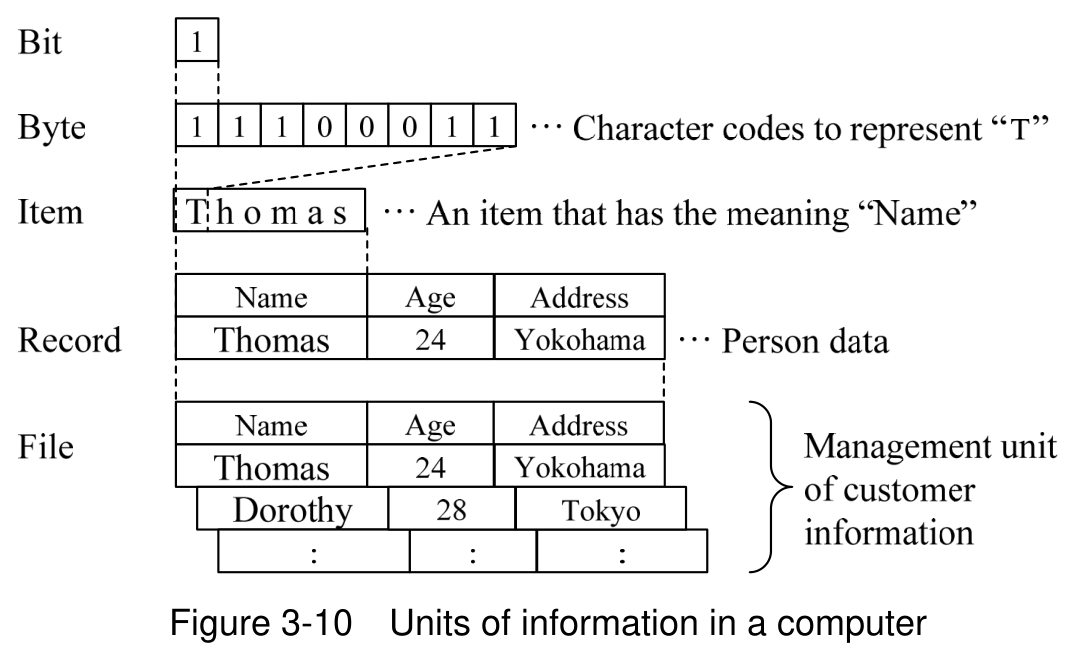
Below is a list of the units of information in a computer.
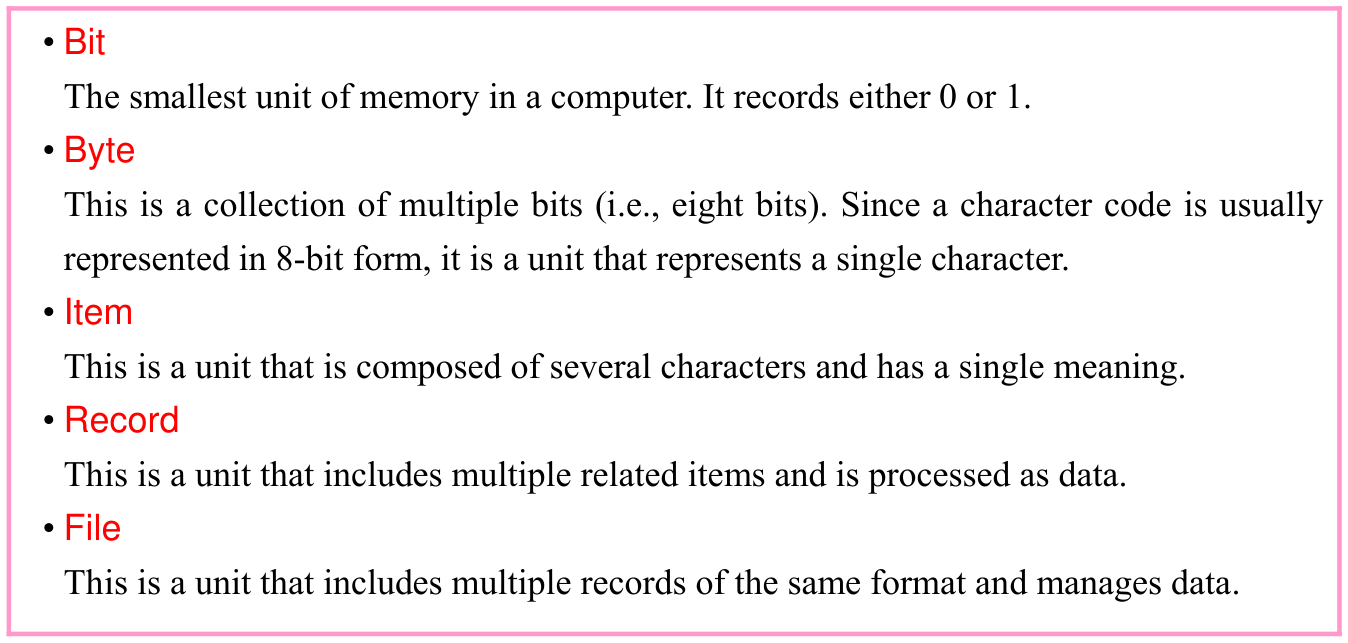
Original textbook callout or table. Source text: • Bit The smallest unit of memory in a computer. It records either 0 or 1. • Byte This is a collection of multiple bits (i.e., eight bits). Since a character code is usually represented in 8-bit form, it is a unit that represents a single character. • Item This is a unit that is composed of several characters and has a single meaning. • Record This is a unit that includes multiple related items and is processed as data. • File This is a unit that includes multiple records of the same format and manages data.
p. 227 · Enlarge
Aligned hierarchy of bit, byte, item, record and file. The original bit is 1; byte is 11100011 labelled as a code for T. Item Thomas becomes a record Name Thomas, Age 24, Address Yokohama. The file also includes Dorothy, 28, Tokyo, with more records indicated by ellipses. Source text: Figure 3-10 Units of information in a computer
p. 227 · Enlarge

p. 228

4-1-1 Classification of Records

(1) Physical records and logical records

In a computer, data is processed in units of records, which have meaning. However, to handle records that are actually stored on an auxiliary storage device, it is not efficient to perform input and output on a record basis, so this is performed with a unit that groups multiple records called a block. This block, which is an input/output unit, is referred to as a physical record as it is a record that is handled physically. This is distinguished from a record that forms a processing unit, which is called a logical record.
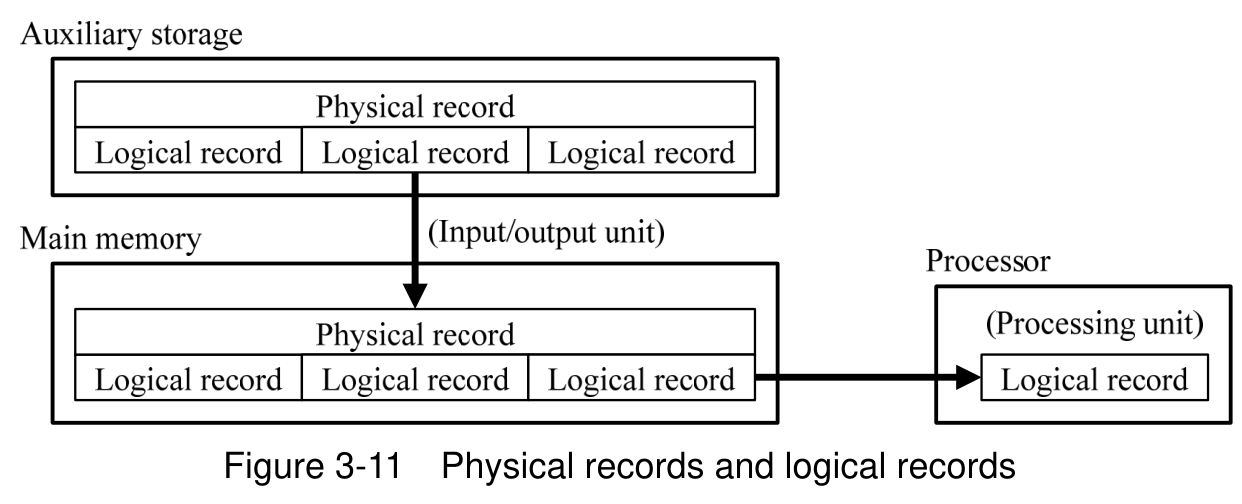
A physical record contains several logical records. The input/output unit transfers a physical record from auxiliary storage to main memory; the processing unit uses one logical record. Source text: Figure 3-11 Physical records and logical records
p. 228 · Enlarge

(2) Record formats

Below is the classification of record formats.
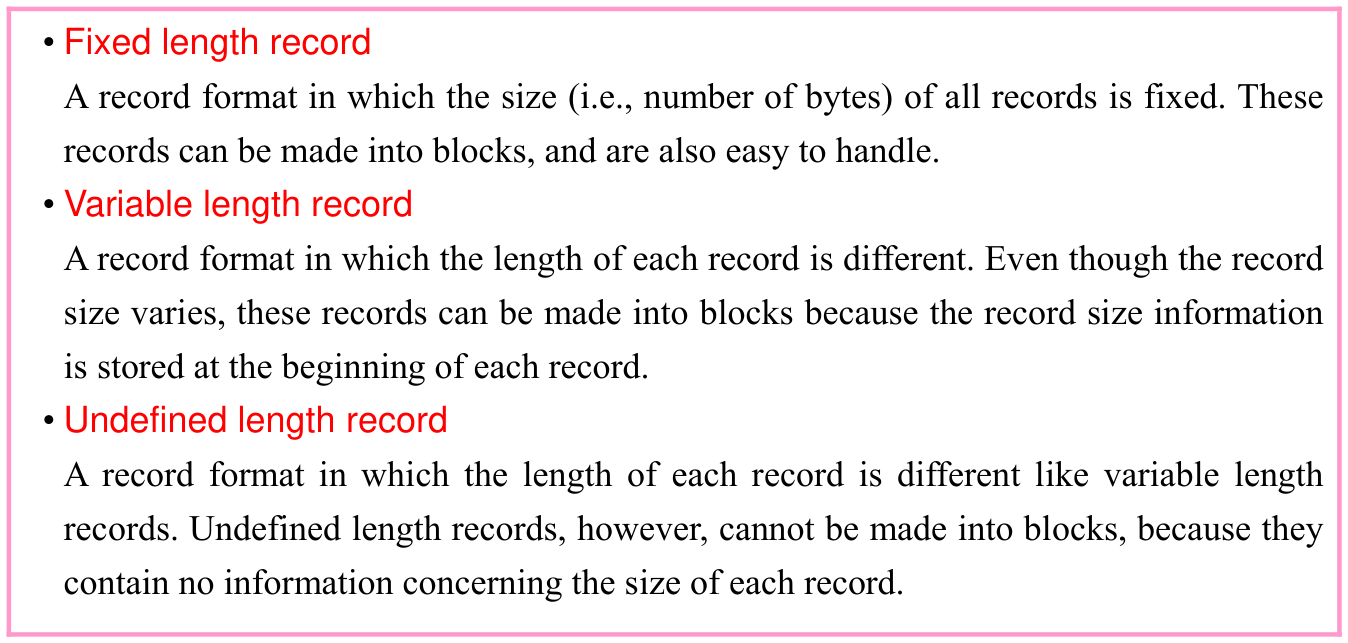
Original textbook callout or table. Source text: • Fixed length record A record format in which the size (i.e., number of bytes) of all records is fixed. These records can be made into blocks, and are also easy to handle. • Variable length record A record format in which the length of each record is different. Even though the record size varies, these records can be made into blocks because the record size information is stored at the beginning of each record. • Undefined length record A record format in which the length of each record is different like variable length records. Undefined length records, however, cannot be made into blocks, because they contain no information concerning the size of each record.
p. 228 · Enlarge

p. 229

4-1-2 Classification of Files

File classifications include classifications depending on the purpose of usage, storage (or usage) period, users, or such other factor. These classifications are separate from the file access methods and organization format that are described later.

(1) Classification based on purpose of usage
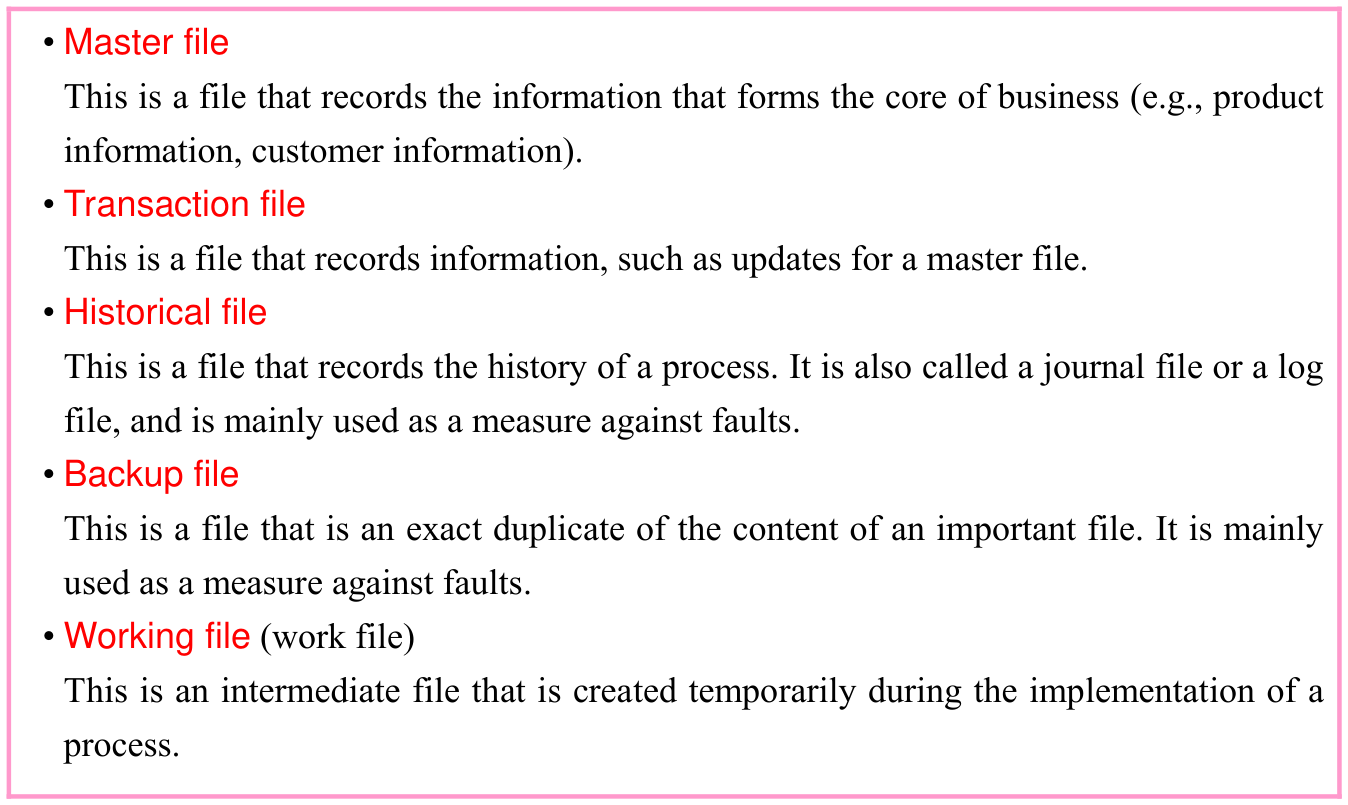
Original textbook callout or table. Source text: • Master file This is a file that records the information that forms the core of business (e.g., product information, customer information). • Transaction file This is a file that records information, such as updates for a master file. • Historical file This is a file that records the history of a process. It is also called a journal file or a log file, and is mainly used as a measure against faults. • Backup file This is a file that is an exact duplicate of the content of an important file. It is mainly used as a measure against faults. • Working file (work file) This is an intermediate file that is created temporarily during the implementation of a process.
p. 229 · Enlarge

(2) Classification by storage (or usage) period
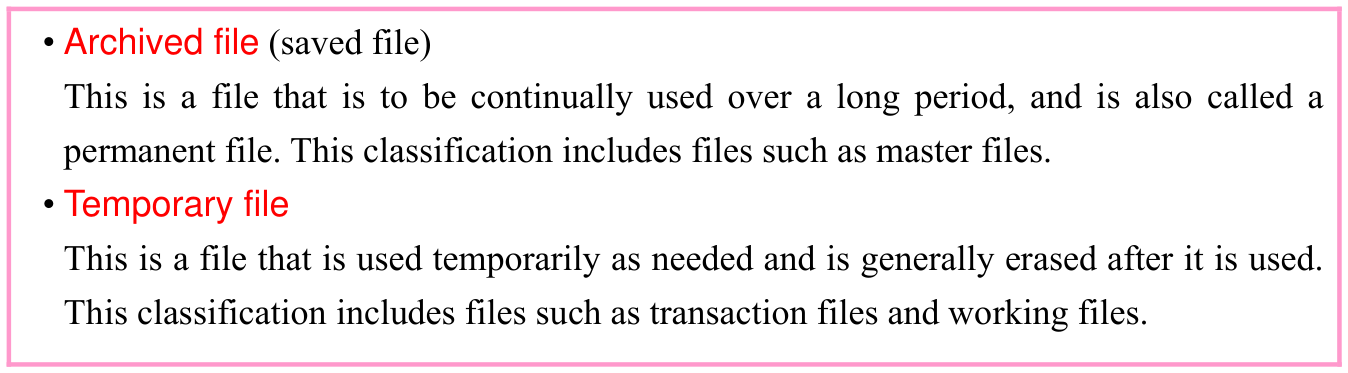
Original textbook callout or table. Source text: • Archived file (saved file) This is a file that is to be continually used over a long period, and is also called a permanent file. This classification includes files such as master files. • Temporary file This is a file that is used temporarily as needed and is generally erased after it is used. This classification includes files such as transaction files and working files.
p. 229 · Enlarge

(3) Classification based on users

Original textbook callout or table. Source text: • System file This is a file for system operations and management, such as programs that constitute an OS.
p. 229 · Enlarge

p. 230

Original textbook callout or table. Source text: • User file This is a file that records programs or data used by a user.
p. 230 · Enlarge

Section progress

Original chapter exercises

Original chapter exercises →

New FE Textbook Vol.1 · IT Fundamentals · First Edition, April 2015